Skip to content

A metronome app for musicians

MetronomeLab

A visual metronome for iOS and Android, from the same code. On the App Store and Google Play since 2020, and every update since has been ours.

Our role
Design, engineering, release, operations
Period
Since 2020
Platform
iOS · Android
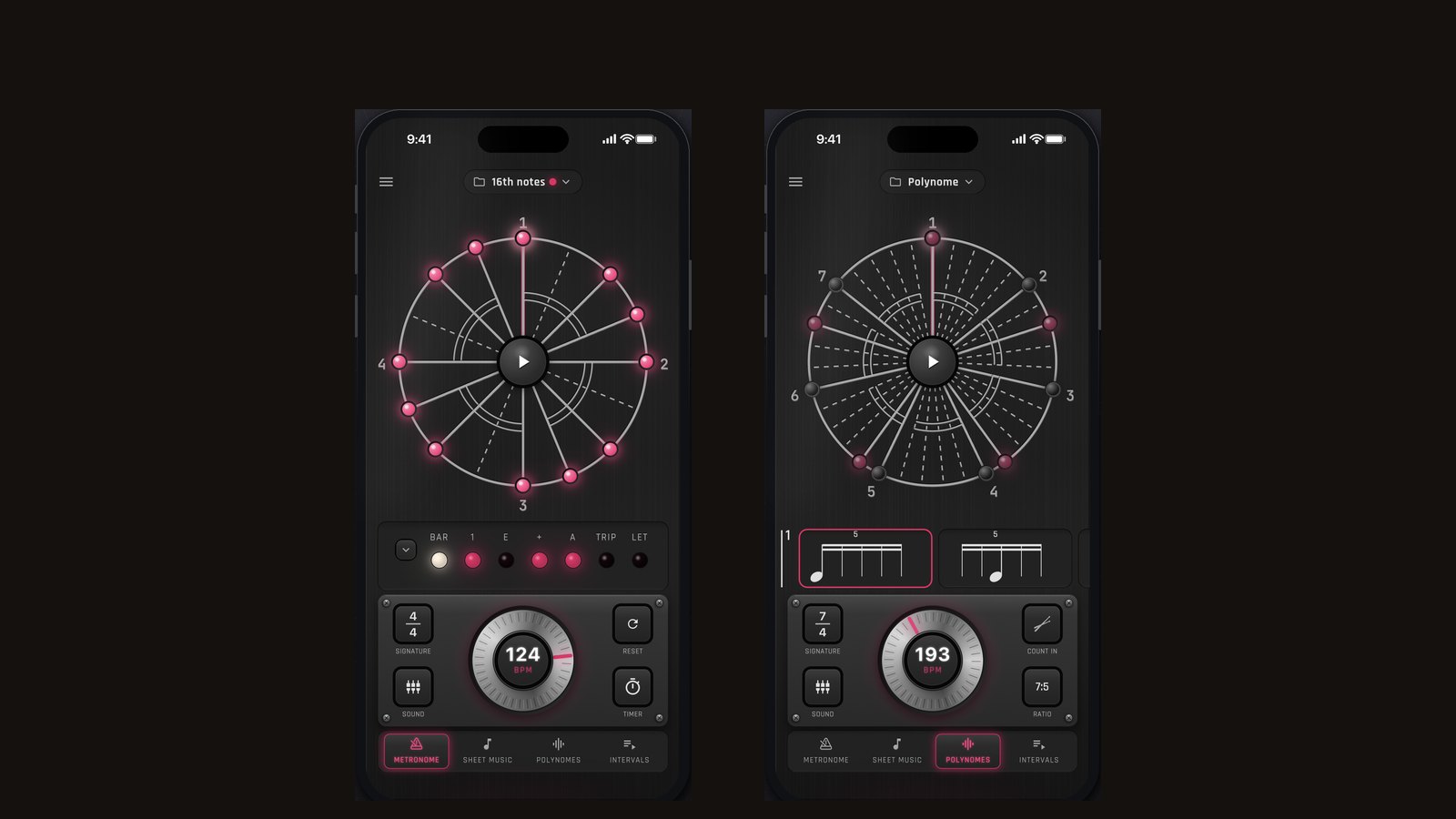
Two phones side by side: on the left the metronome’s main screen with the circular beat display and the tempo dial, on the right the polyrhythm screen at a 7:5 ratio.

Every step of this one was ours: the design, the code, the release, the pricing, and the replies to support mail. There is no decision in it that could be someone else’s fault. An application is not finished when it ships — that is where the other half of the work starts, and we have done that part too, since the first release.

What makes this metronome different is that it does not only click, it shows you the bar. That only works if the picture and the sound arrive in the same instant.

In numbers

2020
First release
v42
Current version
18
Languages

01

A circle, not a line

Musicians do not struggle to hear a click. They struggle to place the notes between the clicks, and a traditional metronome is no help there: it ticks, and the rest happens in your head.

So MetronomeLab bends the bar into a circle. A pointer travels around it and every note sits on the ring where it falls — the rests included. Rests are the part beginners cannot feel, and on a circle a rest stops being an absence and becomes a shape you can point at.

That is not decoration, it is the product. A metronome worth watching, not only listening to.
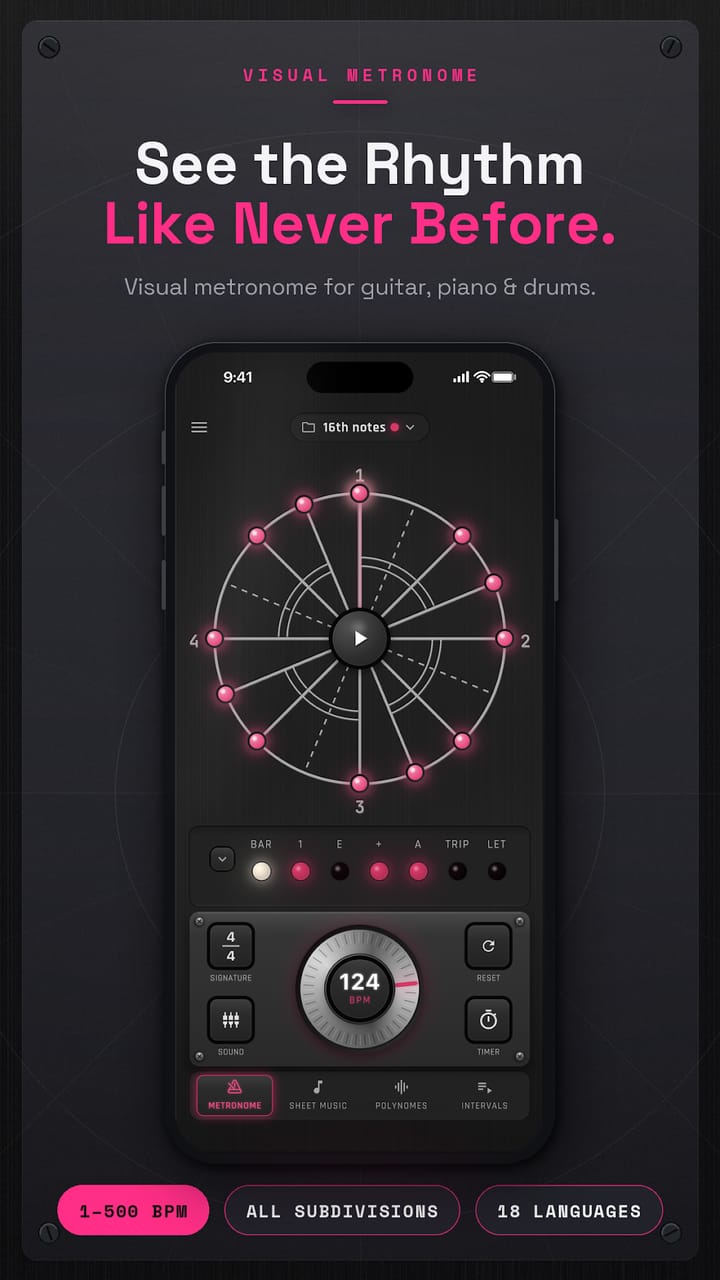
Store screenshot: the circular beat display, with a travelling pointer and dots marking where each beat falls.

02

One codebase, two stores

It is built in Flutter, and one codebase ships to both iOS and Android. Not two applications to fix separately: what breaks in one breaks in the other, and one fix puts both right.

Releasing is the other half of the work. The stores change their requirements every year, and sometimes that alone forces a new version, even when not a line of code changed. The app has been on both stores since 2020, and we have shipped more than forty versions of it since. Crash reporting runs behind it too, so we know when it falls over for someone before they write in.

03

Eighteen languages, and the store page too

A metronome has no home market — rhythm is the same everywhere. So the app speaks 18 languages, and all of its text is in one place: a new sentence is added once, not eighteen times.

The store page is localised to the same depth, on both stores: description and search keywords alike. The screenshots are not assembled by hand — a generator puts the right translated caption on each one and exports it in every size the two stores ask for. Changing a single caption is minutes of work rather than a week in a design tool.

04

A price that is affordable in every country

The same dollar price everywhere means the app is unaffordable in some countries and underpriced in others. Doing it by hand means setting a price country by country, in both stores, and keeping it current.

We automated it. The price now follows local spending power in every country, with one deliberate correction: anyone who pays for an app at all in a lower-income country tends to be better off than the local average, so a plain conversion would set the price too low.

Nothing goes live automatically. Every proposed price lands in a spreadsheet first, where it can be reviewed and overridden line by line, and only then does it reach a store.

05

Light mode took an afternoon

This app is no slower to work on today than it was at the start, because the structure got the effort early: one place to change a colour, one place to change a word, one place that defines what a subscriber gets.

Light mode is the example. Giving the whole application a second look — every screen, every dial and panel — was an afternoon, not a rewrite.

What the user sees

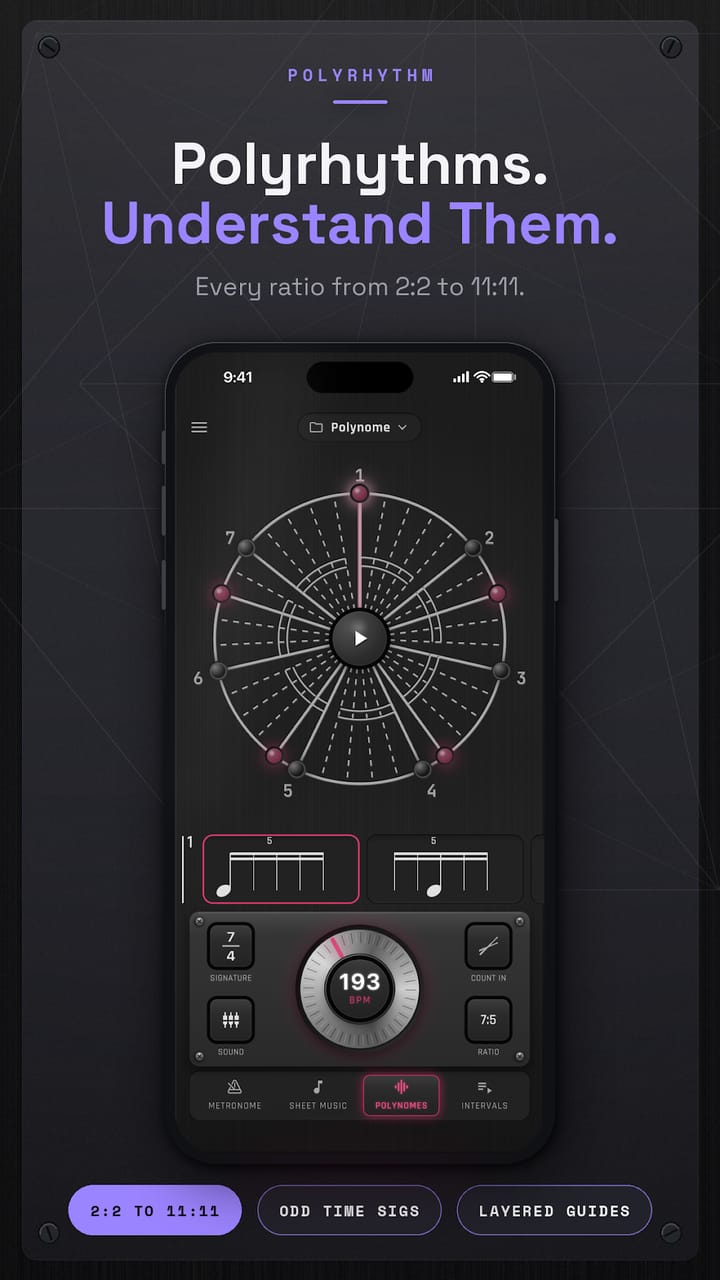
Polyrhythm screen: nested circles show where two rhythms meet, from 2:2 up to 11:11.
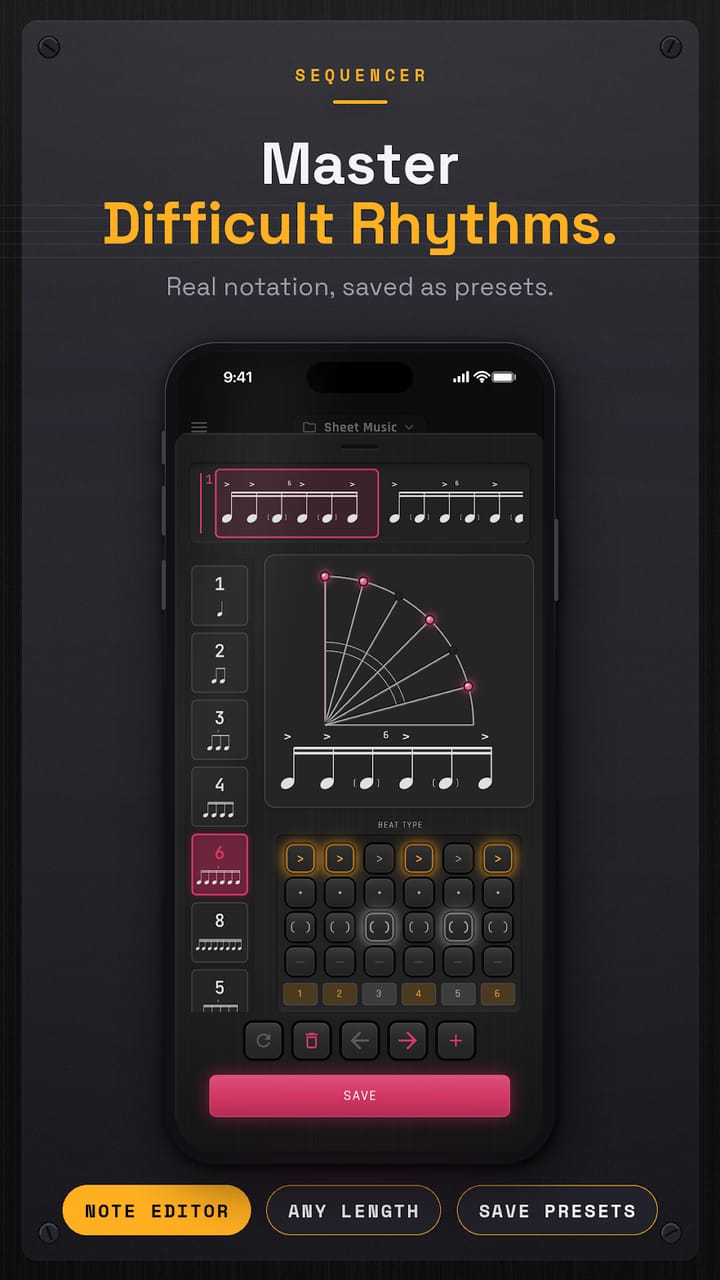
Sequencer screen: notation and a step grid for writing a rhythm and saving it.
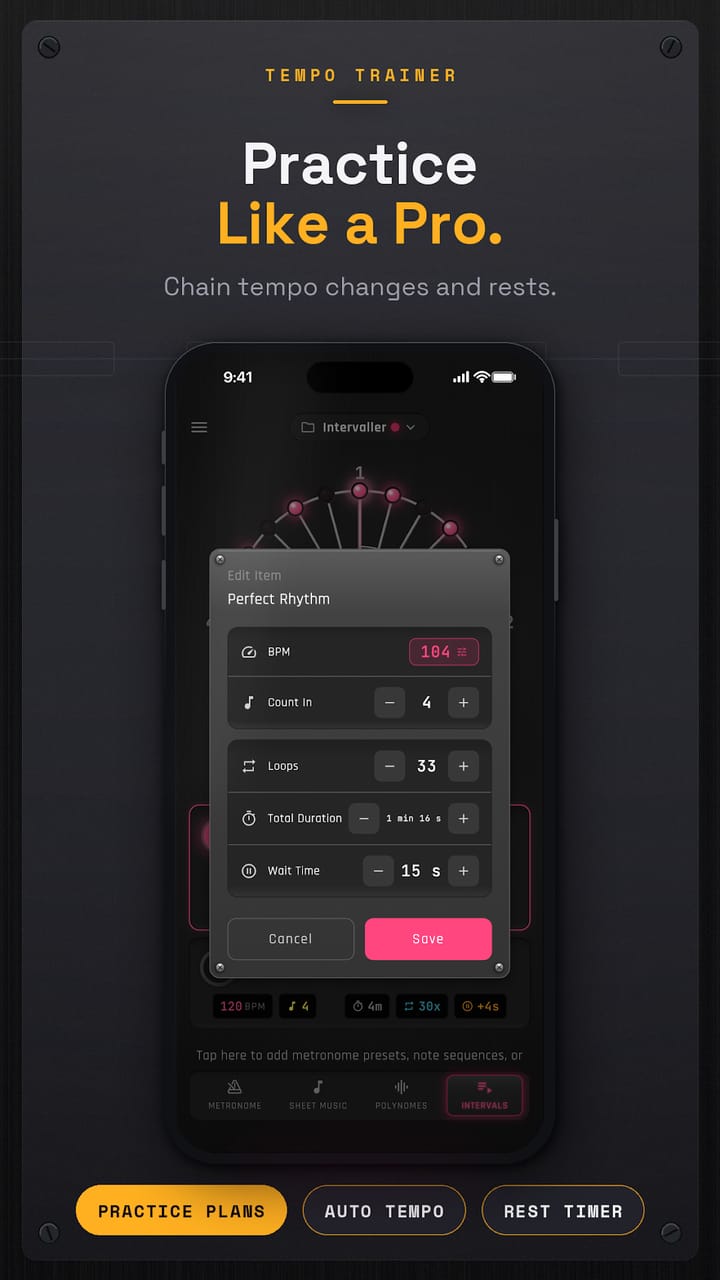
Tempo trainer screen: editing a practice run with a tempo, a number of loops and rests.
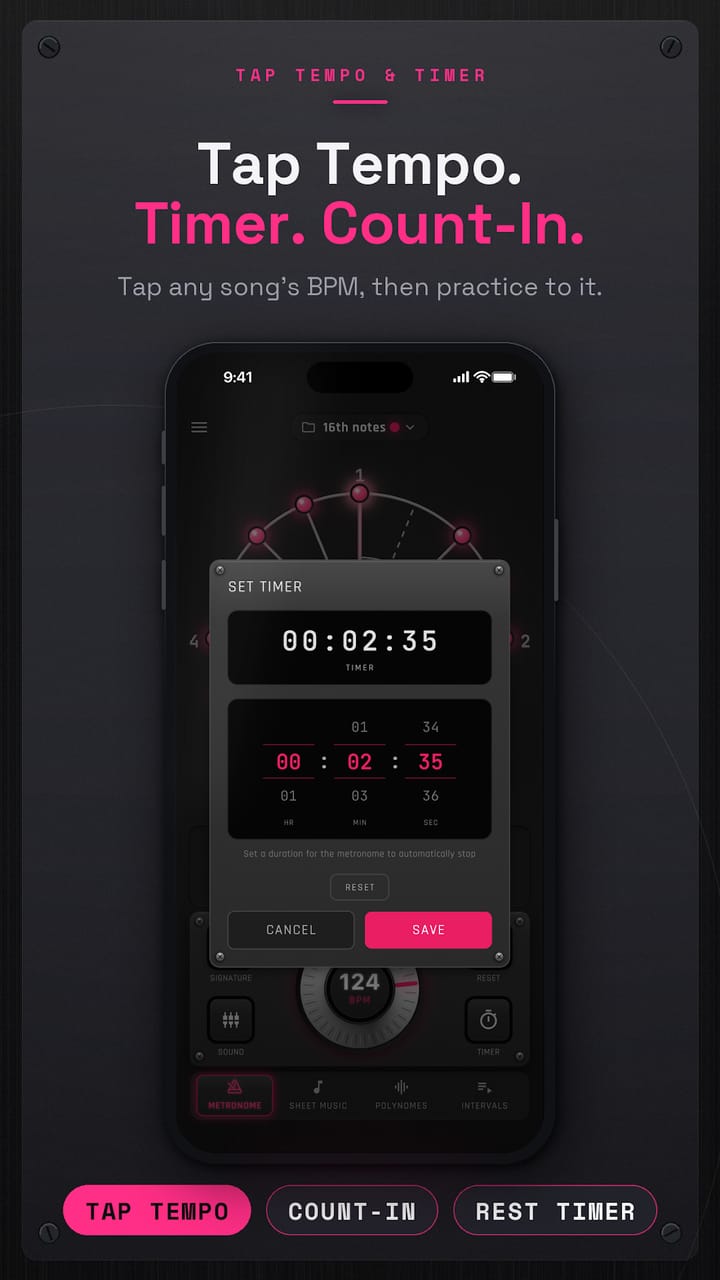
Tap tempo and timer screen, with a countdown set.

Need a mobile application?

Tell us what it would do. We write down what we would build, how long it takes and what it costs.

The website prices and the hourly rate are printed. Prices and hourly rate

Get in touch